Create a board presentation from a report
Use a report and budget to brief an agent, build a presentation and refine the slides in Blank.
Blank ·
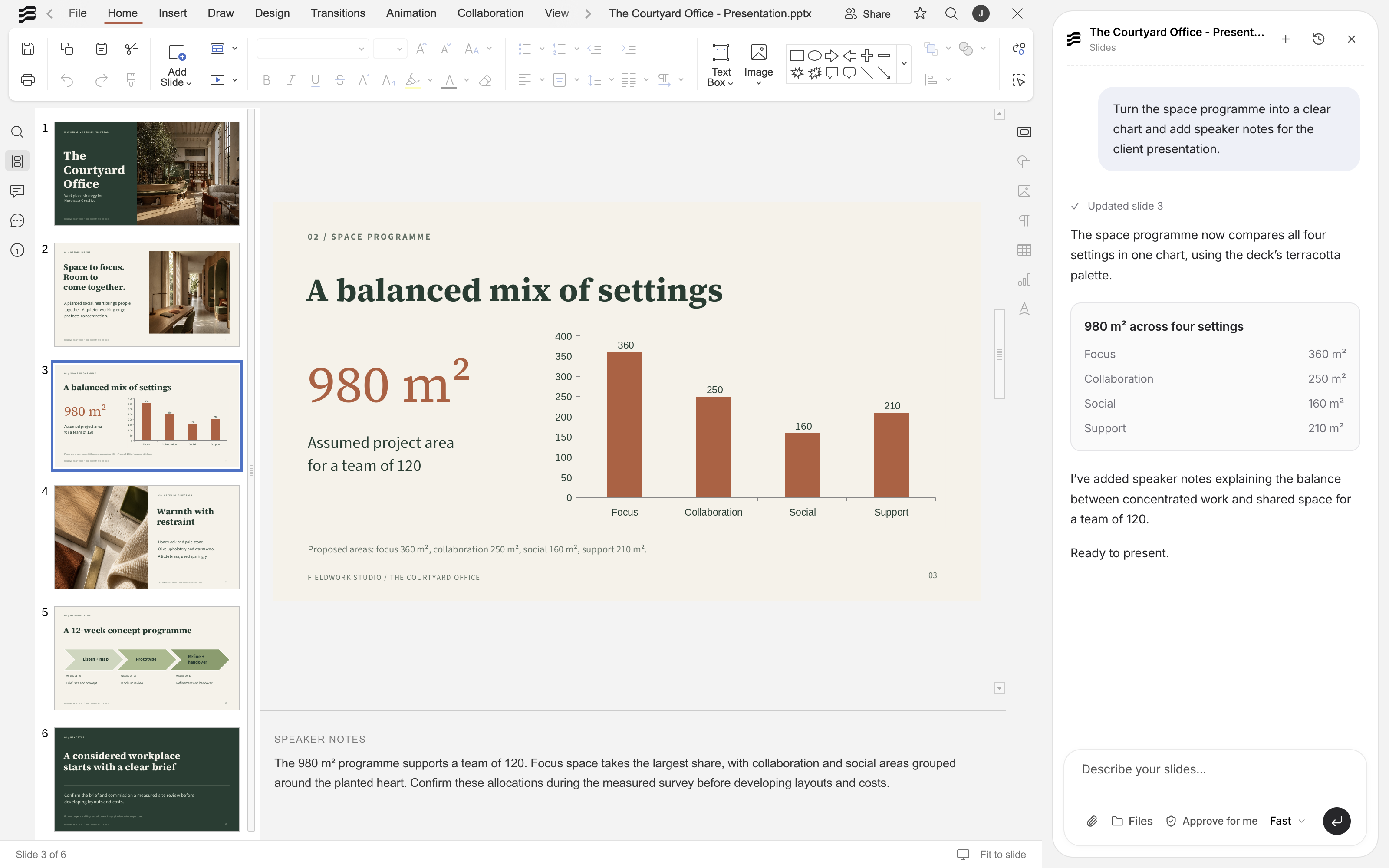
Blank can build a presentation from an existing report and spreadsheet. Give the agent the source files, describe what the board needs to review and specify the output. It can analyse the figures, summarise the report and create a deck you can open and edit in Slides.
The same workflow can include changes to the source documents. If the summary needs revising or the spreadsheet needs a comparison chart, you can include that work in the brief.
Give the agent a defined brief
Open Agent and use the file control beside the message box to add the report and budget. You can also reference files with @. Include the reporting period, audience and decisions the presentation needs to support. A request might look like this:
Use the September 2026 report and budget to create a 10-slide board presentation. Cover performance against budget, the main risks and the decisions needed. Include a budget comparison chart and speaker notes. Flag conflicting figures for review and save the deck alongside the source files.
Specific instructions help with both the content and the design. Ask for short slide titles, a consistent colour palette and readable chart labels. If the board needs detailed figures, put them in an appendix and keep the main slides focused on the decisions.
Let Blank coordinate the work
Blank can delegate parts of the brief to specialist agents. For a board pack, that can mean checking the budget, summarising the report and building the presentation from the findings. A delegated job can include several file types, such as a workbook and a written analysis.
Independent steps can run in parallel. Work that depends on those findings follows afterwards. You can follow the agents’ progress and inspect the files they produce.
Relevant information can also come from connected tools, where your permissions and the task’s access settings allow it. Name the source in the brief so the agent knows which information to use.
Review the presentation in Slides
Open the deck to check the figures, slide order and speaker notes. Pay particular attention to the reporting period, units and any recommendations drawn from the source material.
You can edit the slides yourself or ask for a targeted revision:
Split the financial summary into two slides. Keep the budget comparison chart on the first and put the three largest variances on the second. Use the same typography and colours throughout.
Layout instructions can be just as specific as writing instructions. Ask for more space around a chart, shorter labels or a simpler table. The deck remains editable as you refine it.
Continue into the next file
Once you have reviewed the presentation, you can ask Blank to update the report’s executive summary to reflect the agreed wording. You can also ask it to create follow-up tasks from the decisions, specifying the owners and due dates.
That lets you use one brief for work across the report, spreadsheet, presentation and tasks, while reviewing the result in each app.